Date Filtering & Quality Screening
First published: October 2026
Last updated: October 23, 2026
[!TIP] Calibrating stochastic parameters on an incomplete or corrupted historical period will produce skewed simulations. The Date Range Filter allows you to isolate the highest-quality, most representative period of record in seconds.
Many long-term meteorological stations have records spanning 70 to 100+ years. However, early records (such as those from the 1920s) may have frequent missing days, lower gauge precision, or missing temperature readings. The Date Range Filter helps you refine the dataset.
How to Filter the Date Range
- In the CLIGEN Parameters panel (or Historical Analysis), locate the Analysis Start and Analysis End date pickers.
- Select your desired period of record (for example, isolating a clean 30-year climate normal from
1985-05-01to2020-06-08). - Click Generate Parameters (or re-screen historical analysis).
- The application will instantly re-screen the dataset:
- All summary statistics update to reflect only the selected date range.
- Record completeness and missing-day tallies are recalculated for the new window.
- The CLIGEN parameter engine will calibrate exclusively against this filtered period.
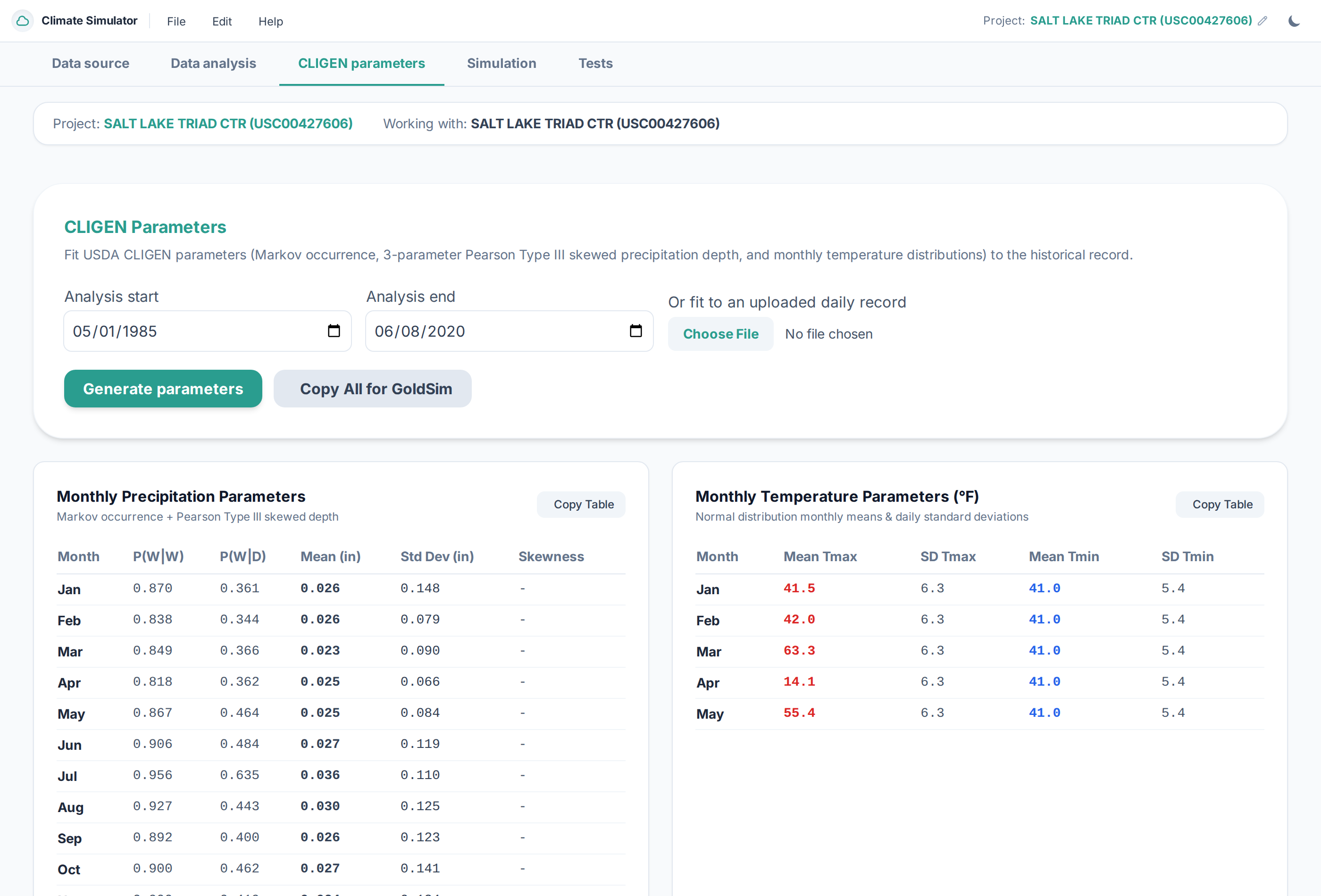 Figure 1: Setting the Analysis Start and Analysis End dates to calibrate CLIGEN parameters on a verified period of record.
Data Completeness & Quality Screening
At the top of the historical analysis, the simulator tracks record completeness in real time:
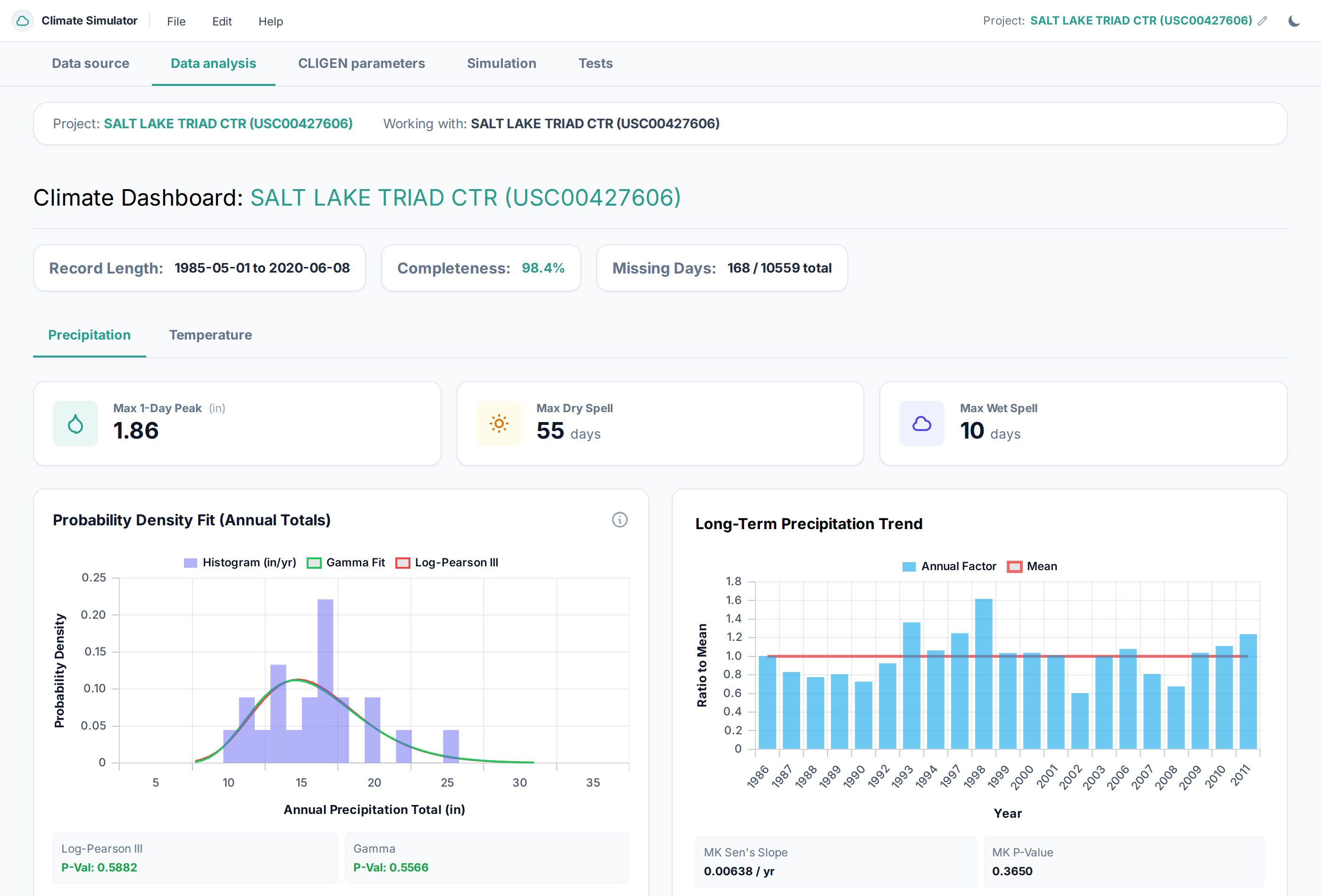 Figure 2: Data completeness tracking badge (98.4%) and missing days indicator (168 / 10,559 days).
- Completeness Metric (Green Badge): Highlights the percentage of valid daily observations. Periods with $\ge 90\%$ completeness appear in green; lower completeness displays an amber caution.
- Missing Days Counter: Quantifies the exact count of missing observation days out of the total duration.
When Should You Filter the Historical Period?
1. Aligning with Official 30-Year Climate Normals
Meteorological agencies (like NOAA, WMO, and Met Office) update standard climate normals every 10 years (e.g., 1981–2010, 1991–2020). If your environmental permit or site baseline is benchmarked against the 1991–2020 normal, filter your data to start on 1991-01-01 and end on 2020-12-31.
2. Excluding Damaged Gauges or Multi-Month Gaps
If a station experienced a prolonged gauge outage (e.g., an entire missing winter or a multi-year gap due to equipment failure), leaving those missing months in the dataset could falsely lower the calculated monthly precipitation means. Filter the start or end date to exclude the outage.
3. Non-Stationarity and Recent Climate Trends
If a site has experienced noticeable shifts in temperature or snowpack over the last 30 years compared to the 1940s, you may wish to calibrate your stochastic engine on the most recent 30 to 40 years of record rather than the entire 100-year history.
Data Quality Indicators
The system automatically checks for the following data quality issues and displays warnings if detected:
| Issue | Detection Rule | System Action | Recommendation |
|---|---|---|---|
| Missing Precipitation Days | Gaps in daily rain series | Excluded from monthly depth sums; noted in completeness metric | If completeness $< 90\%$, adjust date filter to exclude missing years |
| Negative Precipitation | $P < 0$ | Flagged and reset to $0.0$ | Inspect source file for erroneous negative codes (e.g., -999) |
| Thermal Inversion Anomaly | $T_{\min} > T_{\max}$ | Flagged as invalid | Correct row in raw spreadsheet or remove corrupted station |
| Trace Precipitation | $0 < P < 0.1\text{ mm}$ ($< 0.01\text{ in}$) | Treated as dry for Markov occurrence; depth included in mass balance | Standard hydrologic practice |
By ensuring a clean, continuous historical baseline, you guarantee that your calibrated CLIGEN parameters accurately reflect the true meteorological characteristics of your site.