File & Map Navigation
The File Menu
The File Menu, located in the top left of the navigation bar, is your primary hub for managing your simulation projects. Because IAMDD runs entirely in the cloud, your projects are saved securely to our database and can be accessed from any device.
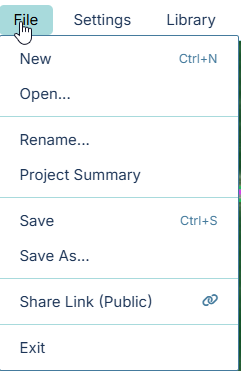
- New: Clears the current map and resets all libraries to begin a fresh, blank simulation.
- Open...: Launches the Project Browser modal, allowing you to select and load any previously saved project from your account.
- Rename...: Allows you to change the name of your current active project without creating a duplicate copy.
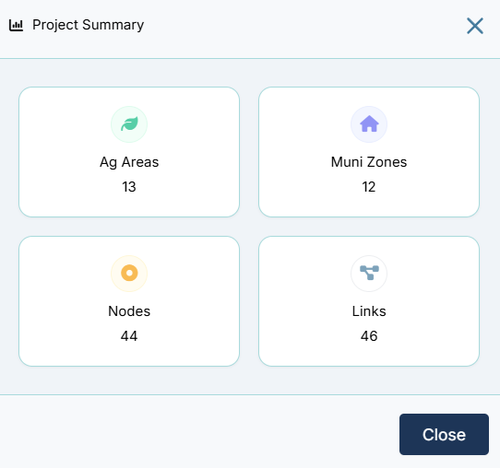
- Project Summary: Opens a quick-view modal containing high-level metrics about your project, including the total count of nodes, total length of pipes, and total acreage of your fields.
- Save: Instantly saves your current progress. If this is a new, unnamed project, you will be prompted to provide a name.
- Save As...: Creates a duplicate copy of your current project under a new name, perfect for branching off to test major design changes ("What-If" scenarios) without altering your original file.
- Share Link (Public): (Coming Soon) Generates a secure, read-only URL. You can send this link to your audience, allowing them to view your network and run the simulation in a locked "Player Mode" without the ability to modify your design.
- Exit: Closes your active modeling session and returns you to the main IAMDD dashboard.